EduPaper AI
✦ Your AI-powered teaching workspace

Plan. Create. Teach. All in one Studio.

Meet EduPaper AI Teaching Studio: plan lessons against specifications or topics in seconds! Presentations using the latest pedagogy with worksheets and answers delivered quickly, easy to tailor or present to a class straight away! A modern workspace for specification-aligned lessons, editable slides, classroom activities, worksheets and teaching resources. An integrated AI Slide Assistant helps refine your presentation while you stay in control.

Created with teachers in mind · Editable output · No specialist presentation software required to view the website

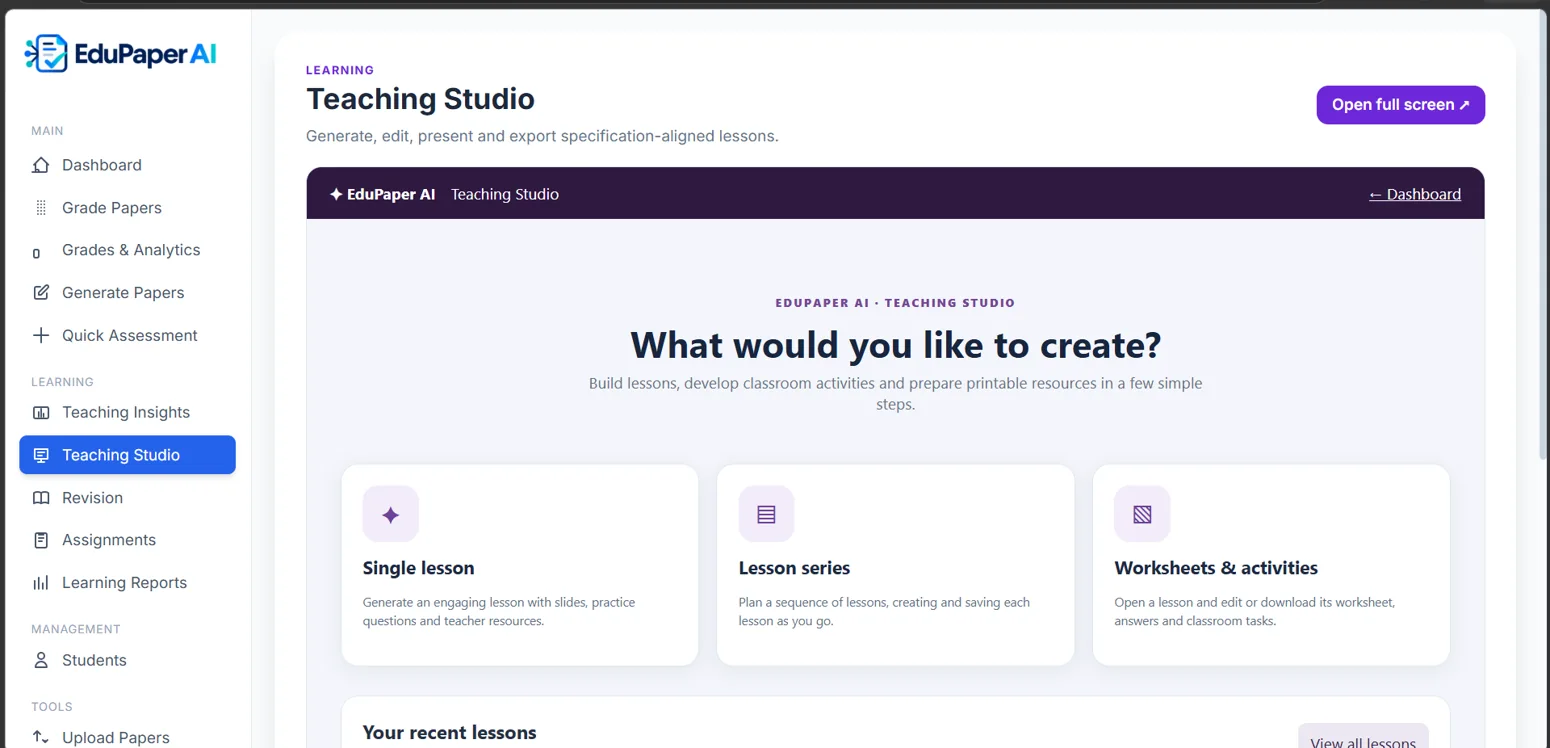
Actual EduPaper AI Teaching Studio showing single lessons, lesson series and classroom activities
A better workflow

From a curriculum topic to a classroom-ready lesson

01

Specification-aligned lessons

Choose an approved specification extract, topic, lesson length and teaching approach.
02

Editable slides and resources

Edit slides directly, choose a theme, print PDF and export editable PowerPoint.

03

Worksheets and teacher answers

Generate worksheet and answer resources, then review and adapt them for your class.

04

Lesson sequences

Plan and save a series of linked lessons so the next lesson starts from the previous one.

05

Classroom activities

Add retrieval practice, matching, sequencing, gap fills, quizzes and exam practice.

✦

AI Slide Assistant

Ask AI to improve wording, add an example or refine selected slides; review the proposed change.

Inside the lesson editor

Stay in control of every slide.

Your lesson remains editable. Rearrange or duplicate slides, add activities, change layouts, present directly, download PowerPoint, and export worksheets and answers.
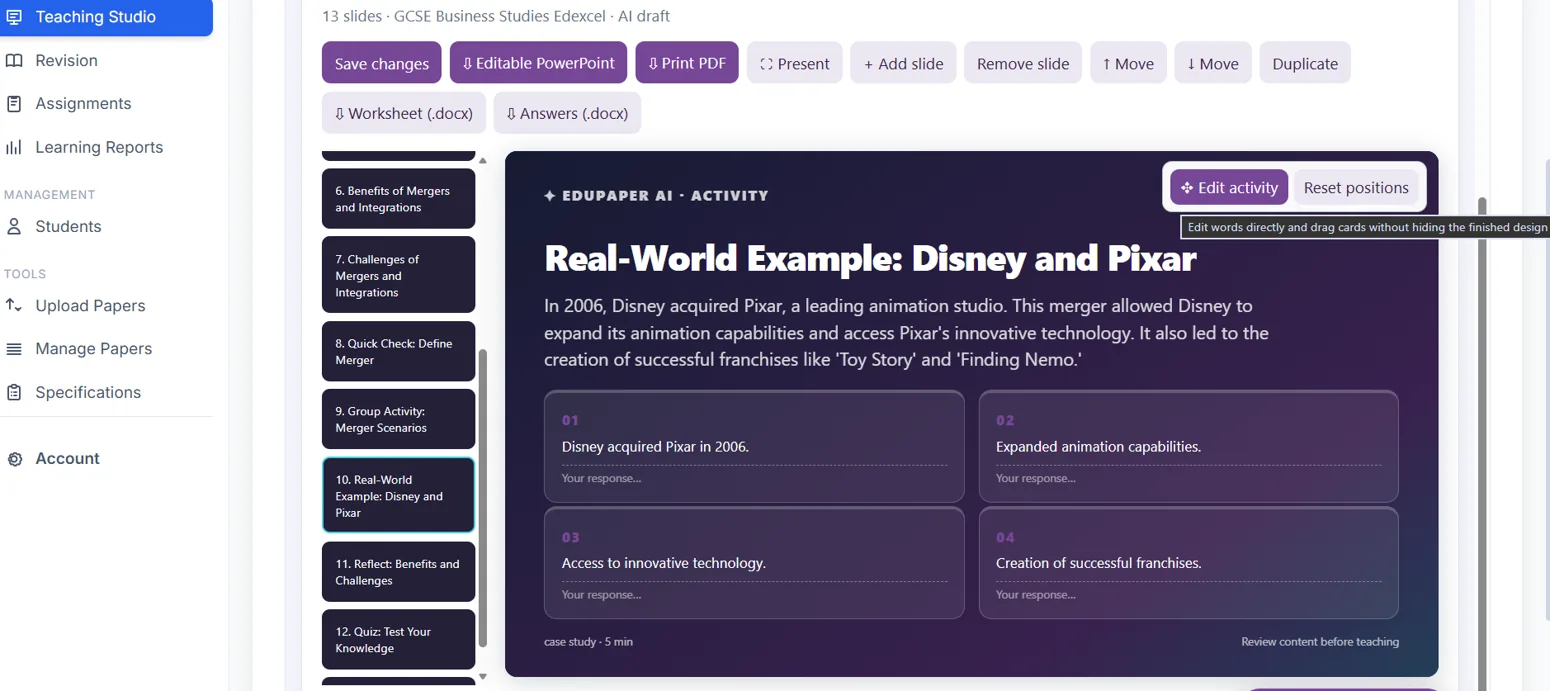
Actual EduPaper AI lesson editor with editable PowerPoint, printable PDF, worksheets, answers and slide controls
See what's possible

Watch and explore EduPaper AI

▶Watch demonstrations on our YouTube channel ↗

Explore demonstrations and product updates on the official EduPaper AI channel. Video availability depends on the videos published there.

Teaching Studio FAQs

Can I edit the AI-created slides?
Yes - very easily, and download and take away to edit however you like. The lesson editor supports direct changes to slide content and slide order, add activities based on your topic, edit content or simply get your AI built in assistant to make the changes for you, with options for presentation and export plus easy editing of the accompanying worksheets created automatically. Even create a series of lessons with a few prompts.
Does it include worksheets?
Yes. Teaching Studio can generate worksheets and teacher answers that you can inspect, edit and download.
Can the AI Assistant change just one slide?
The integrated Slide Assistant is designed for targeted slide improvements or changing whole series of slides but you can also edit images and text 'old 'school' if you need too, with teacher review of proposed changes and our support, lessons are ready in seconds.
Is it suitable for whole-school use?
Teaching Studio is accessible in a web browser so any internet device can edit, improve or simply use a resource straight away. Edupaper AI uses common file formats such as MS PowerPoint, MS Word, PDF and more to make busy teacher's lives much easier!
Does the AI replace the teacher?
No, any system needs a human to guide its AI friend - we let you tell your AI friend what to do and we'll do the other 95% so you can check over our work to make your life easier and work tailored to your teaching style and pupils - unles, of course, you ask our built in AI teaching assistant to make the tweaks for you! Teachers should review generated content, accuracy, suitability and copyright before use in the classroom as you would with any professional tool.